

How to Care for Your Men's Leather Laptop Bag

A men's leather laptop bag protects expensive equipment while absorbing daily friction from desks, trains, cars, and weather. Regular care keeps the leather flexible and the hardware reliable, but the wrong cleaner or too much conditioner can darken the surface, weaken the finish, or transfer residue onto a laptop sleeve.
Use the following routine for everyday maintenance, spill response, storage, and seasonal inspection. Always follow the product's specific care instructions first because leather finishes and linings vary.
Start with a dry clean
Empty every compartment and remove grit with a soft, dry cloth. Pay attention to the base, handle folds, zipper tracks, and the area under the laptop sleeve. Dirt trapped at a fold can act like abrasive powder when the bag moves. Do not begin with water if the surface is dusty or heavily soiled.

Deal with moisture and spills quickly
Blot rain, coffee, or water with a clean absorbent cloth instead of rubbing. Remove the laptop and accessories, open the bag, and let it dry at room temperature. Keep leather away from radiators, hair dryers, and direct high heat because rapid drying can stiffen or distort the material.
If liquid reaches the lining, dry that area separately and check whether the laptop compartment has padding that can retain moisture. Do not put electronics back inside until the interior and the leather have fully dried.
Condition sparingly
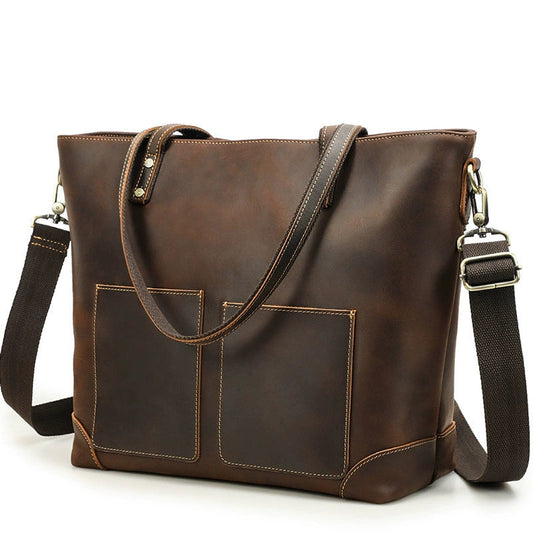
Conditioner can help a dry leather surface remain flexible, but more product is not better. Test a small hidden area first, then apply a thin layer with a soft cloth. Allow it to absorb before judging the color. Pull-up or Crazy Horse leather may darken temporarily or permanently after conditioning, so use a product compatible with the finish.

Protect the workday hardware
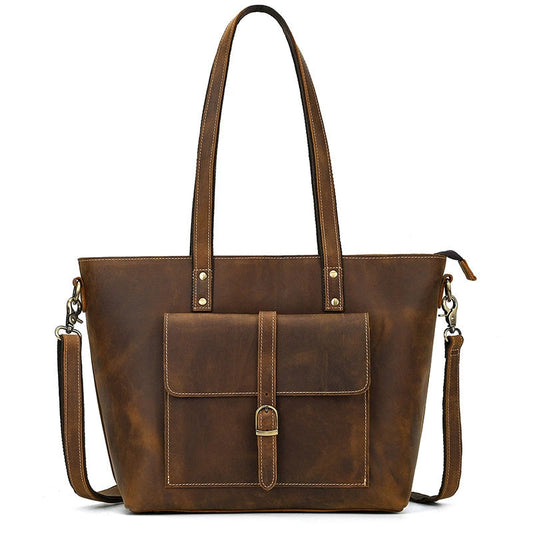
Care includes the parts that are not leather. Move zippers gently, check that buckles close fully, and inspect strap anchors for twisting or loose thread. A laptop bag is often lifted by one handle when full, so load-bearing points deserve more frequent inspection than decorative panels.
Storage between trips
Store the bag empty or lightly supported in a cool, dry place. Keep the laptop sleeve open enough to air, avoid compressing the leather under heavy objects, and do not seal a damp bag in plastic. Stuffing with clean paper can help a soft bag keep its shape, but avoid overfilling it.
A practical care schedule
- Wipe dust after regular use and empty grit from the base.
- Blot moisture immediately and dry naturally.
- Condition only when the surface feels dry and after a spot test.
- Inspect handles, seams, lining, zippers, and strap anchors each season.
- Keep the laptop in a protective sleeve even inside a padded bag.
Good leather laptop bag care is quiet and consistent. Clean lightly, respond to moisture quickly, use conditioner with restraint, and inspect the structure before a heavy commute. These habits protect both the material and the equipment it carries.
If the bag is used every day, make inspection part of the commute routine. A quick look at the base, strap anchors, and zipper path can identify a problem before a full laptop load makes it worse.
Care for the parts around the leather
The lining and laptop sleeve deserve attention because dust, crumbs, and moisture often collect there first. Empty the compartment, shake out loose debris, and wipe the lining according to the care instructions. Keep pens, cables, and metal accessories in a pouch so they do not scratch the leather or press into the laptop during movement.
Hardware care is simple but important. Move zippers without forcing them around a corner, wipe metal fittings if they collect moisture, and check that buckles or snaps close before loading the bag. If a strap anchor begins to pull away, stop carrying a full laptop load until the area is repaired.
Care after a wet commute
Remove the computer and accessories immediately, open every compartment, and blot the outside without rubbing. Let the bag dry at room temperature with air circulating around it. Do not place it on a radiator or use a hair dryer. Rapid heat can change the leather's oils and leave a stiff or uneven surface.
Once dry, inspect for stiffness, water marks, or lifting edge finish. Use a compatible conditioner only after a hidden-area test. The safest routine is light and occasional: clean when needed, condition when the leather feels dry, and avoid treating the bag simply because a calendar reminder says it is time.
- Empty and air the laptop compartment regularly.
- Use a sleeve even when the bag has internal padding.
- Blot spills and let the leather dry slowly.
- Inspect strap anchors before carrying a heavy work load.
- Store the bag open enough to prevent trapped humidity.
A clean, dry, lightly conditioned bag is easier to trust with expensive equipment than one that is over-treated or stored damp. Keep the routine simple and repeat it after the conditions that actually affect the bag.
Care should also include the objects placed inside. Keep pens capped, separate cables and metal accessories, and use a sleeve for the laptop even when the bag has padding. Reducing internal friction protects the lining and makes the exterior care routine more effective. A clean bag is easier to inspect, pack, and trust on the next commute.
Related Woosir resources
Use these related collection and product pages to compare current materials, sizes, care details, and available variants before making a final decision.